How to Unstake Your Tokens
Related concepts
For the underlying concepts, see Staking.
IMPORTANT
Polkadot Developer Interface is a web wallet meant for power users and developers. For everyday use, there are several user-friendly wallets that support a plethora of features and platforms. Discover them in this article.
You can decide to unbond (unstake) and stop being a nominator at any time. However, please note that there is an unbonding period , which serves as a cooldown, during which you won't receive rewards. You'll be able to make your tokens transferable after this time has passed. Currently, the unbonding period lasts 1-2 days on Polkadot, depending on the timing of your unbonding, and 7 days on Kusama.
Info
If you are unbonding because you have less than the minimum amount needed for staking, please check out these options.
IMPORTANT
Please ensure that your stash or staking proxy account has enough transferrable balance to pay for the transaction fees when unbonding. Otherwise, you will encounter the InsufficientBalance error.
Remember that the fee needs to be deducted without the stash or staking proxy account's balance dropping below the existential deposit. To fix the issue, you can transfer a small amount to your stash or staking proxy account.
GOOD TO KNOW
Controller accounts have been removed from staking. Staking actions are now signed by your stash account or, optionally, a staking proxy that can act on its behalf.
Unbonding your tokens can be done by navigating to the Network > Staking > Accountspage on Polkadot Developer Interface. The example below is on the Westend testnet, but the process will be the same on Polkadot.
Step 1: Chilling
Unbond all your tokens
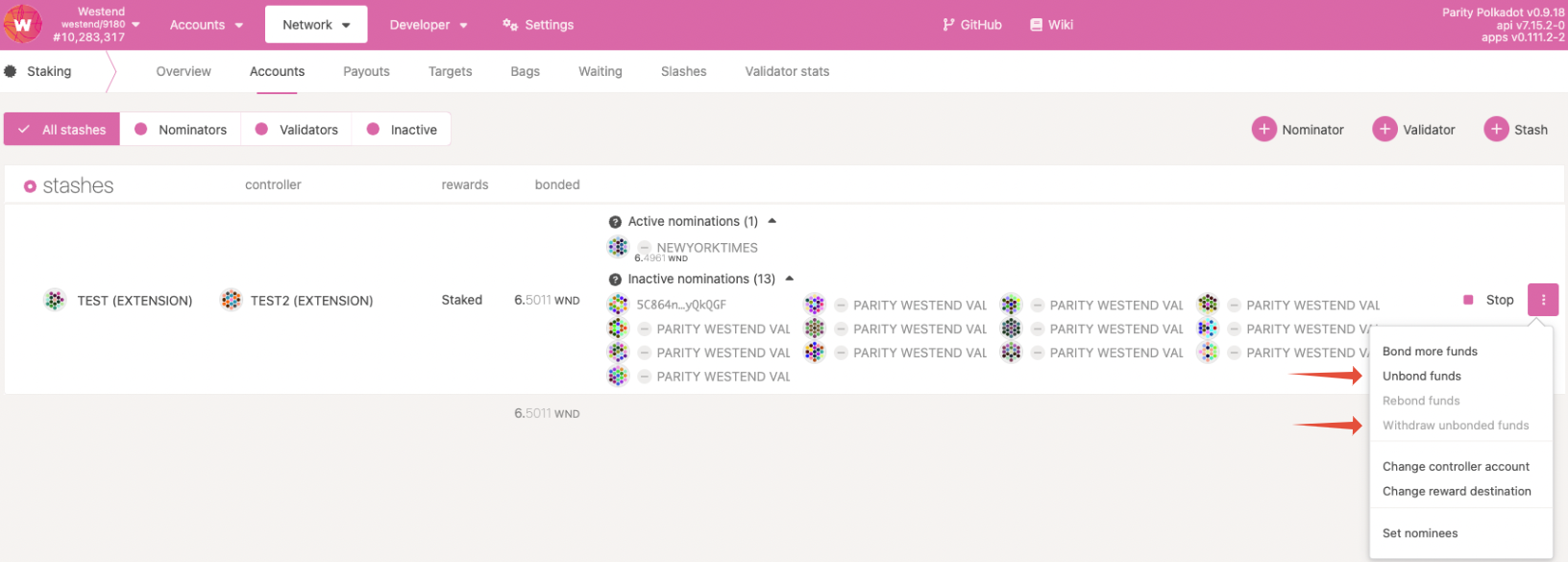
Navigate to the "Network" > "Staking Async" > "Accounts"page on Polkadot Developer Interface. If you want to unbond all your funds, you need to chill your account first, that is, stop nominating. Click on the Stop button to the right of your account:

IMPORTANT
If you don't click the Stop button first, you will be unable to unbound all your funds and will receive an 'InsufficientBond ' error.
Unbond only some tokens
If you want to unbond only part of your funds while keeping some bonded to continue nominating, you don't need to click the Stop button. Instead, proceed to Step 2. Just make sure that your bonded funds are still above the minimum bond needed to nominate. Otherwise, you'll receive the 'InsufficientBond' error mentioned above.
I don't see a Stop button
If you don't see the Stop button, it means you're not nominating any validators. The "active/inactive/waiting" column will also be missing. In that case, you can move to Step 2.
Step 2: Unbonding
Once you've clicked the Stop button and chilled your account successfully, they'll still be bonded. This means they stay ready to be used to nominate. To make them transferable again, you first need to unbond them. This process will take 1-2 days on Polkadot and 7 days on Kusama.
To do this, click the three dots next to the account you want to unbond tokens for, and select "Unbond funds ."
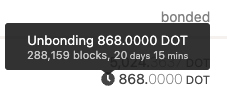
A small clock will appear next to your unbonding balance. Hovering over it with your cursor will show you how much time remains until the funds are unbonded.
Info
If you change your mind once the unbonding period has been initiated, you can rebond your funds following this guide: "Polkadot Developer Interface: How to Rebond Tokens During the Unbonding Period"
Step 3: Withdrawing
Once the unbonding period has passed, your unbonded funds can be withdrawn and made transferable. To do this, you can either:
- Click “Withdraw Unbonded ,” which will then be available in the same menu as above.
- Or click on the blue padlock icon next to the "redeemable" balance. This is shown both under "Network" > "Staking" > "Accounts" and on the "Accounts" page under the detailed balance of the account
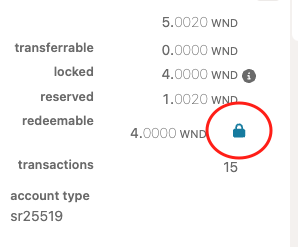
Your transferrable balance will subsequently increase by the number of tokens you've just fully unbonded.