How to See Transaction Costs Before a Transfer
Related concepts
For the underlying concepts, see Transactions.
IMPORTANT
Polkadot Developer Interface (Polkadot-JS UI) is a web wallet meant for power users and developers. For everyday use, there are several user-friendly wallets that support a plethora of features and platforms. Discover them in this article.
A transaction fee is deducted from your transferrable balance every time you make a transaction. It cannot be deducted from your bonded funds or the amount you send. Here is how you can see the fee before making a transaction.
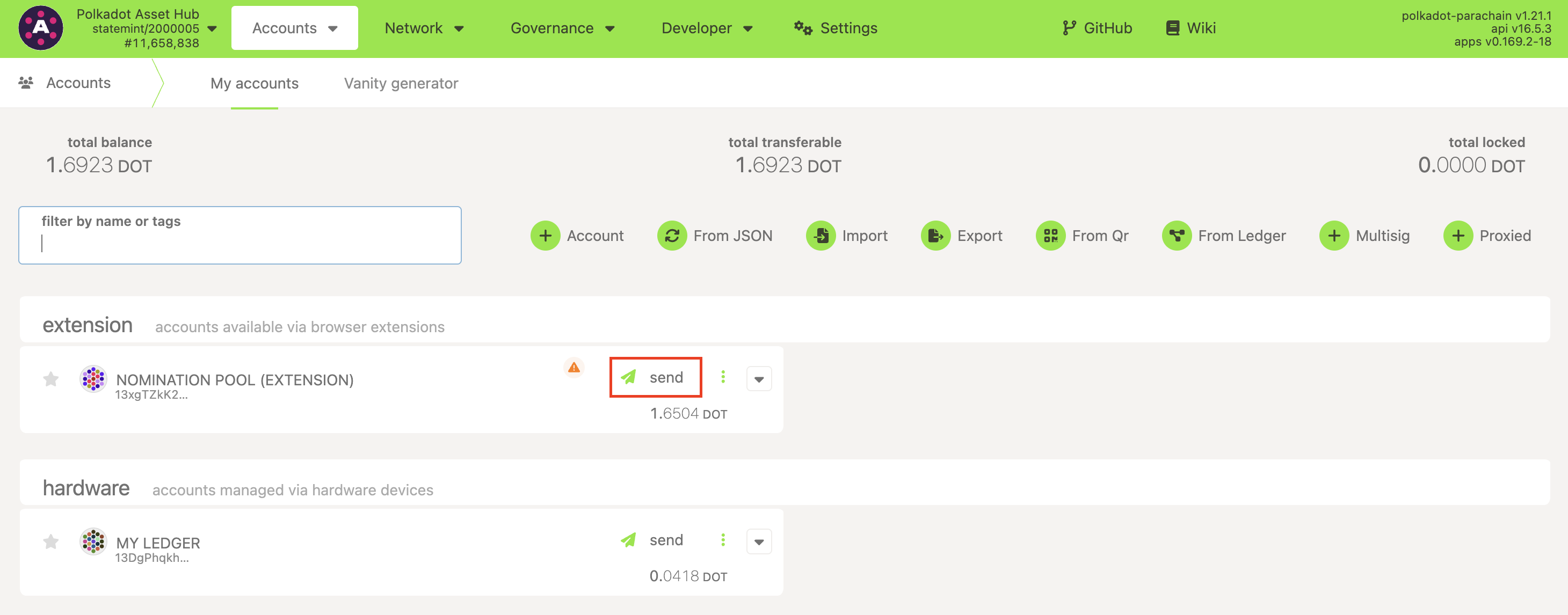
1. Click on the "Send" button next to the account you want to send funds from:
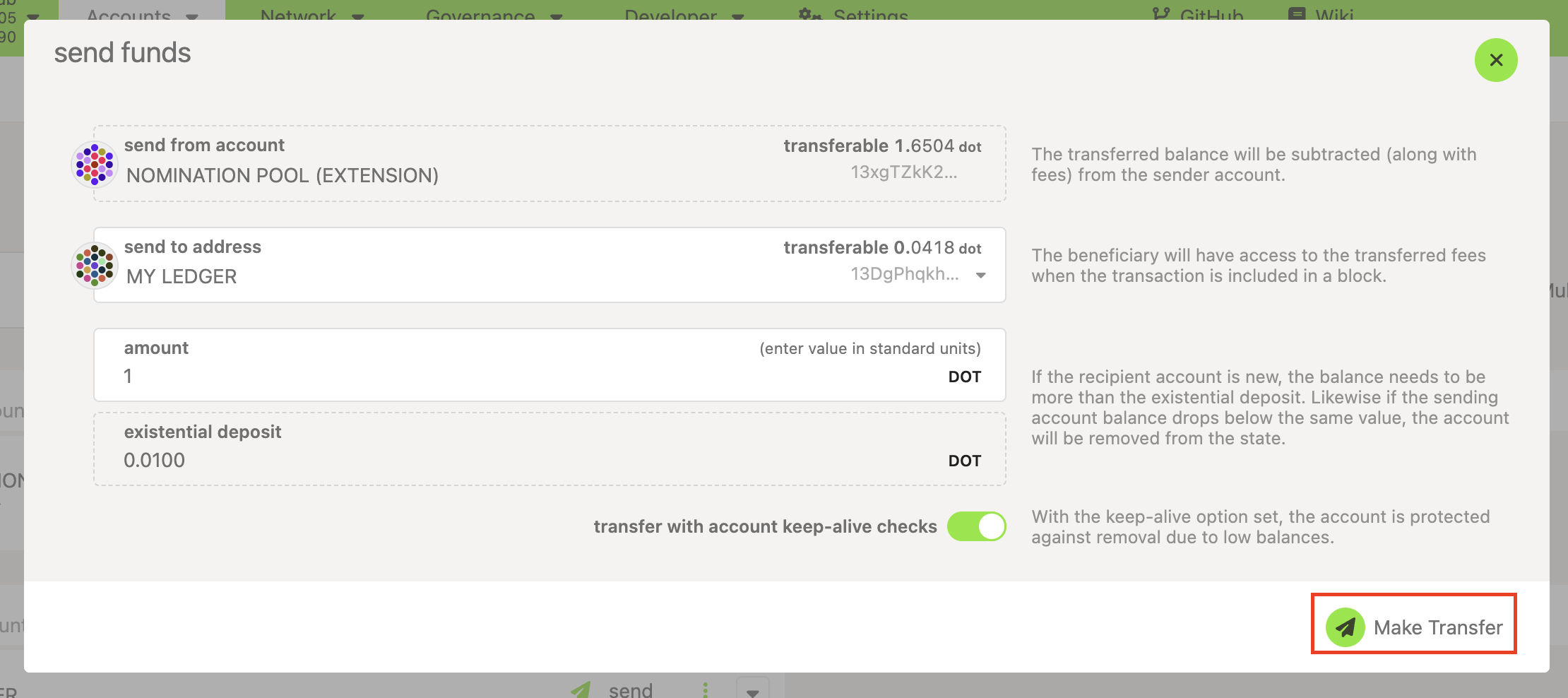
2. On the next screen, enter the amount you want to send and click "Make Transfer":
3. The transaction fee will be shown to you inmicro DOT:
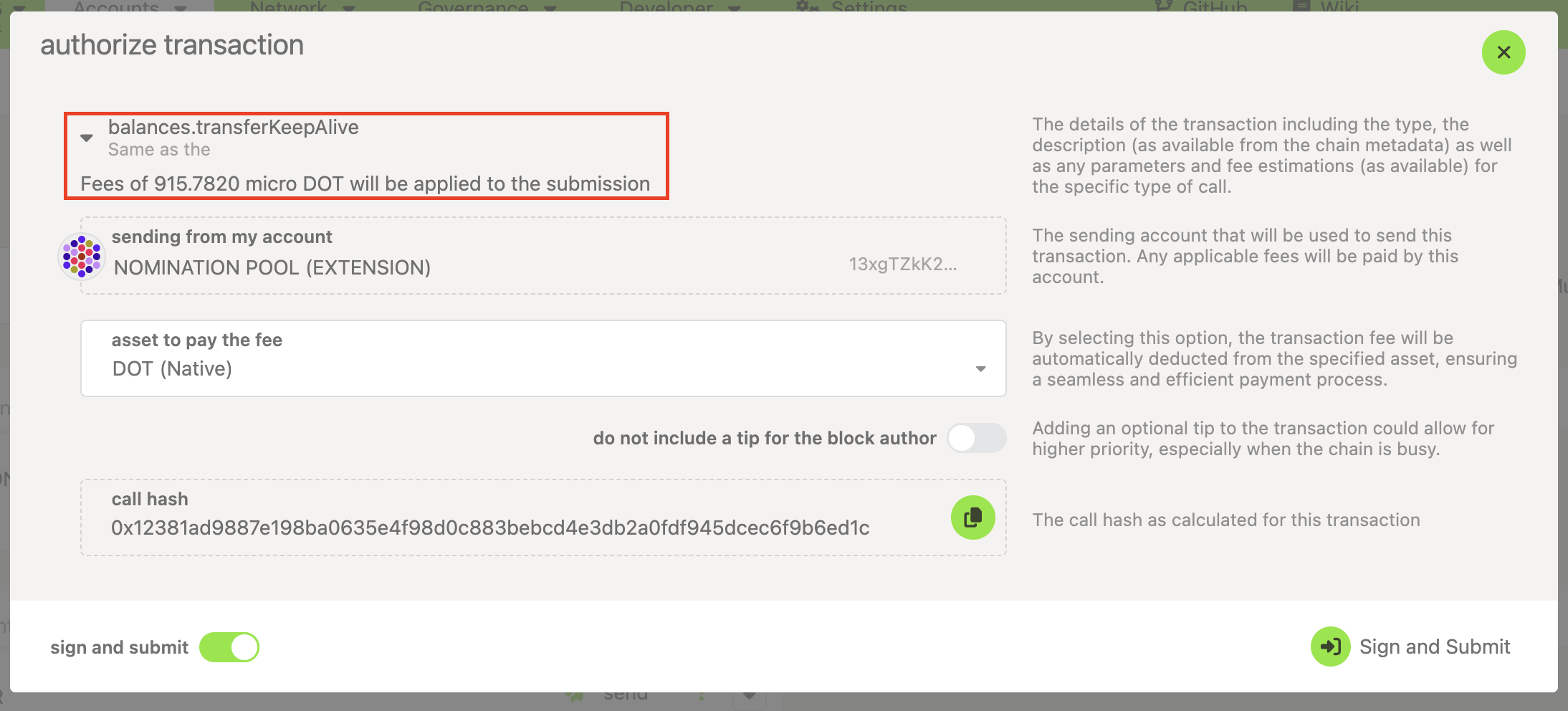
4. You can click "Sign and Submit" to make the transaction or click the X button to cancel it:
If you want to send all of your funds out, this guide will help you send your entire balance out using the Polkadot Developer Interface.
If you are more of a visual learner, check this video on the topic:
Transfer your Funds using Ledger Nano, Parity Signer, Polkadot-JS UI & Browser Extension