How to See My Staking Rewards
Related concepts
For the underlying concepts, see Staking.
You can view your staking rewards on the new Staking Dashboard or block explorers like Subscan.
Staking Dashboard
To view your rewards on the Staking Dashboard, navigate to the Payouts tab.
Here, you can view the following:
- Total reward distribution for the current era
- Timeline of your rewards payout history
- List of your recent payouts
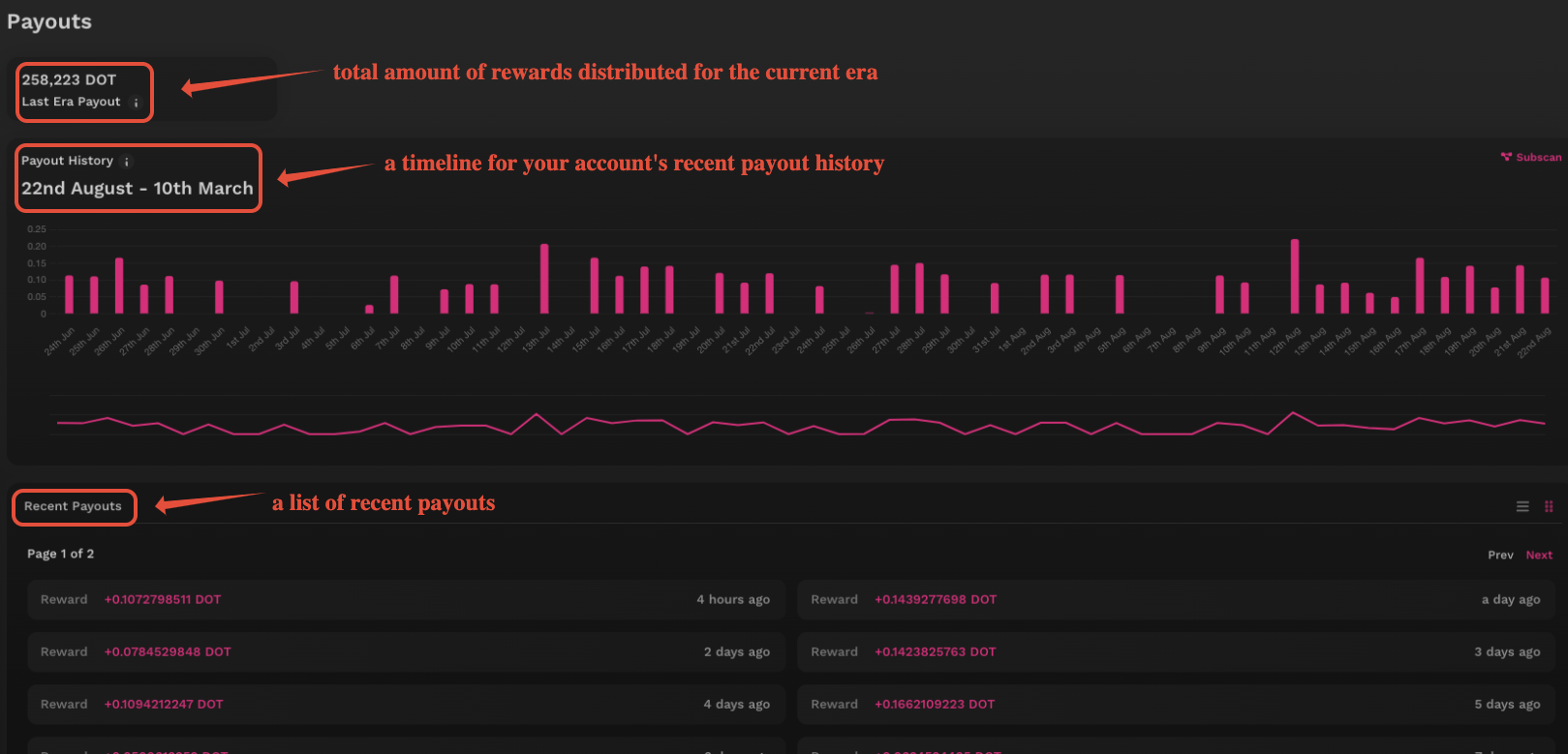
For a full breakdown of what each of these indicates, click on the small information icon next to each section.
Block Explorers
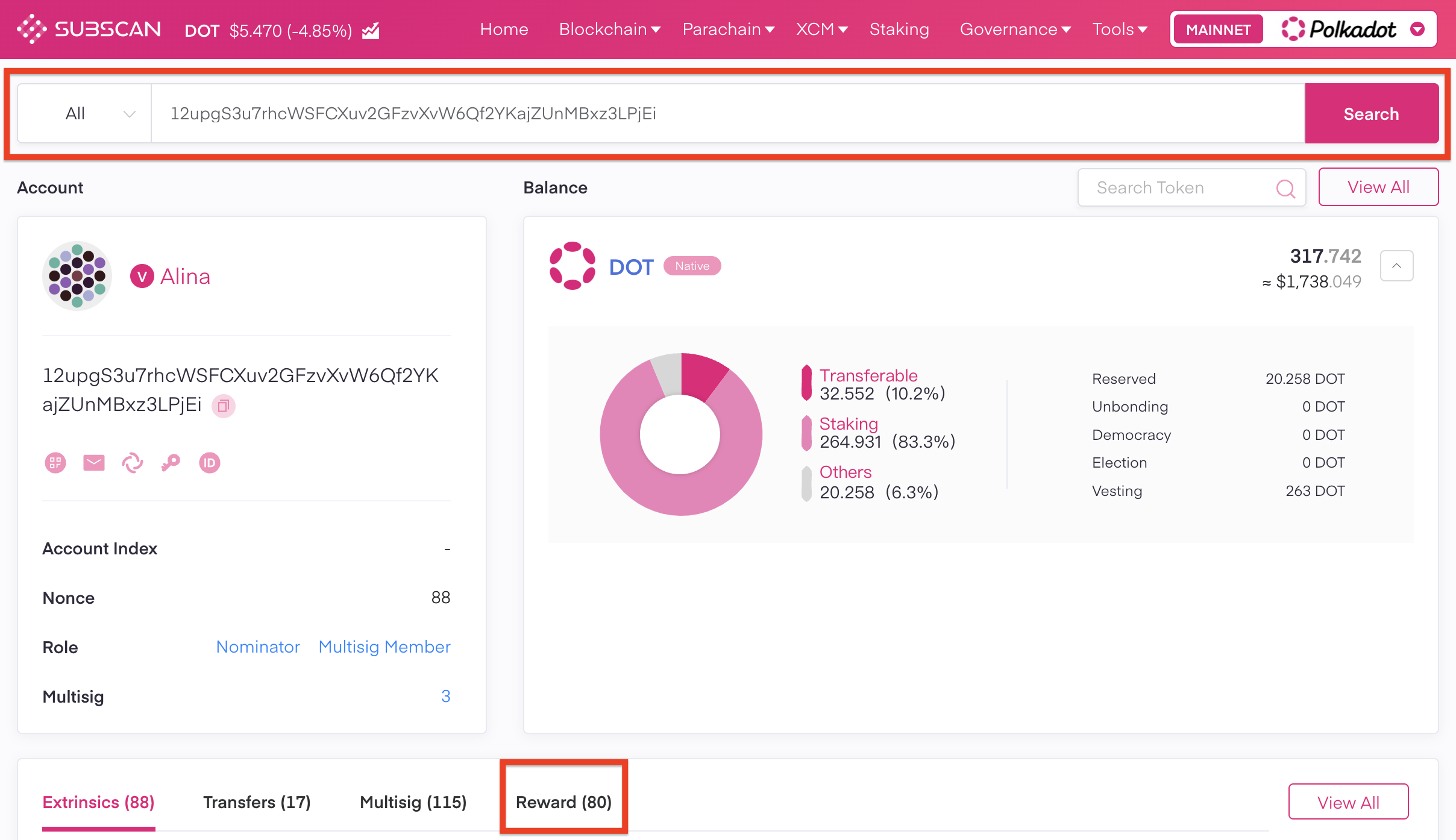
On most block explorers, you can enter your address in the Search field to see information about it. Here's how to find staking rewards on Subscan.
Subscan
If your account has ever received staking rewards, you will see the "Reward" tab on your account's page. Clicking on it will bring up a list of all your incoming staking rewards:
If you're more of a visual learner, check this video guide. You can skip to 13:15 to see how to check your staking rewards:
Staking on Polkadot: The After-Staking using the Dashboard